AI agents have a key problem. Not a key-management problem — a private-key problem. The whole crypto stack assumes one root primitive: a 32-byte secret that signs anything you put in front of it. That primitive was designed for humans guarding their own funds. It is the wrong primitive for software making automated decisions.
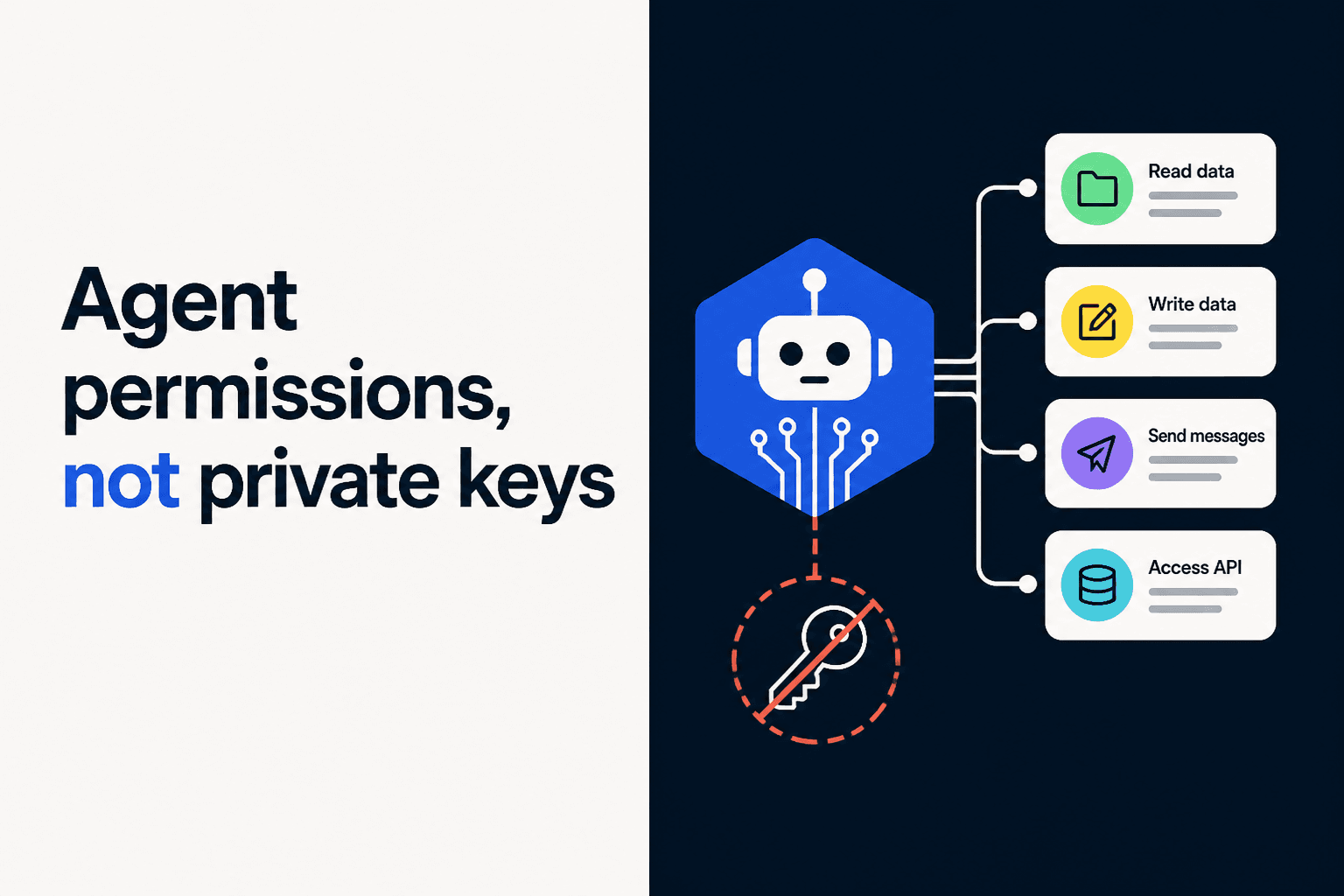
Agents do not need private keys. They need permissions.
This post covers the three questions that decide whether an agent can be trusted with money: who it is acting as, what it is allowed to do, and what you can prove afterwards. Identity, permissions, and compliance.
Identity: who is the agent acting as?
Before you scope what an agent may do, decide who it is. Most teams skip this and end up with an agent that is indistinguishable from its owner, which makes every later question unanswerable.
An agent should have its own signing address, registered as a non-admin key on the owner's smart account. That gives you three things a shared key cannot:
- Attribution. The chain records which key signed. When six agents run against one treasury, you can tell them apart without correlating timestamps against your own logs.
- Independent revocation. Killing one agent does not touch the others and does not rotate the owner key.
- A delegation chain you can describe. Owner authorises agent, agent acts within scope, scope expires. That sentence is what an auditor, a regulator, or an incident review actually wants.
The legal principal stays human. The agent is a delegate, not a party. Nothing about giving an agent an address transfers responsibility to it, and any vendor implying otherwise is selling you a story rather than an architecture.
Where the agent's key lives matters as much as that it exists. A key in an environment variable is an identity anyone with read access can assume. A key bound to a TEE, or held as a session key the smart account validates, is an identity that cannot be borrowed.
What Agent Permissions Are
An agent permission is a rule that limits what a delegated key can do on a smart account. Instead of "this key can sign anything," the permission says "this key can spend up to 100 USDC per day, only against the Uniswap V3 router, only in the next 24 hours, and only the exactInputSingle function."
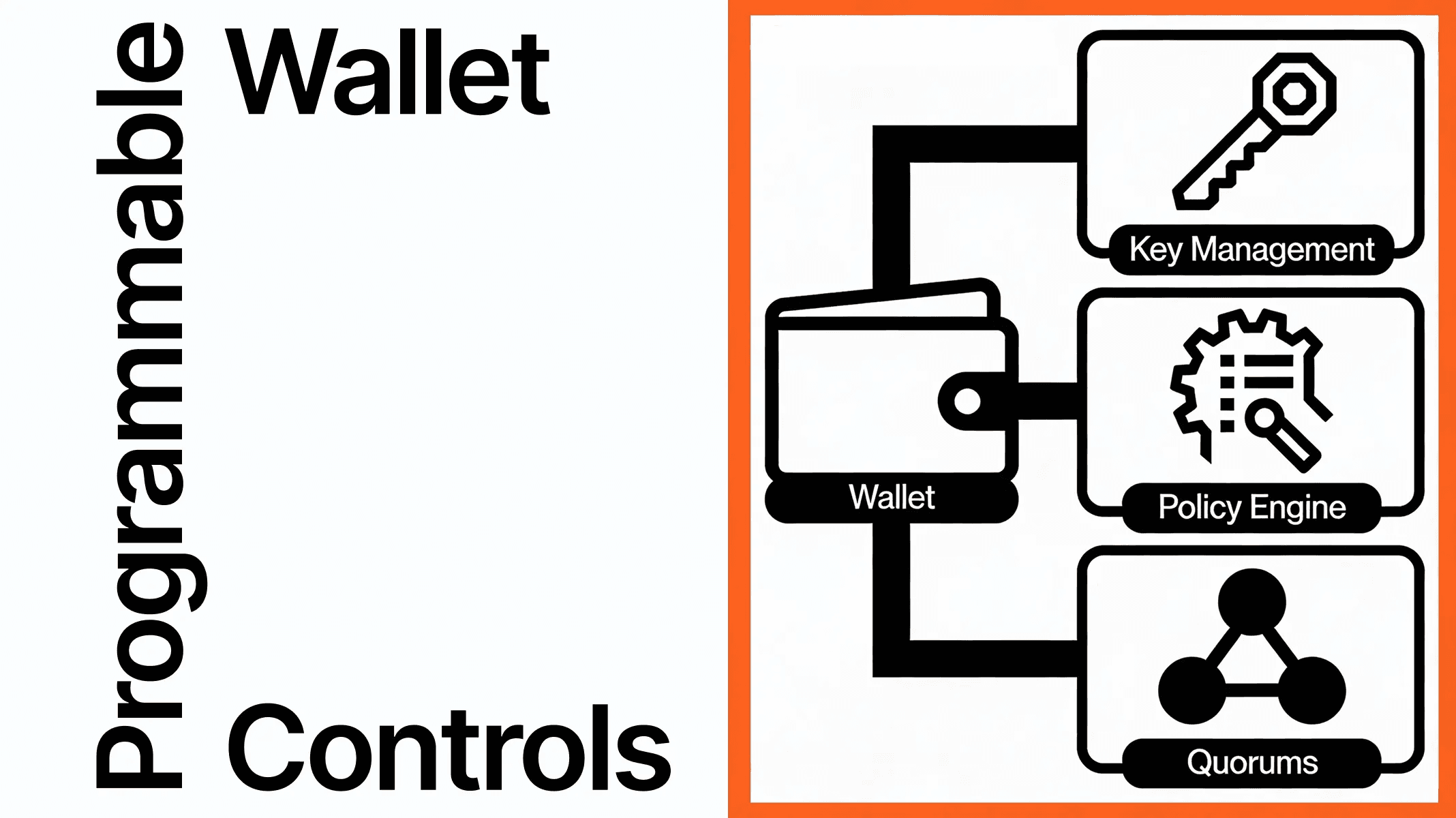
A few rules together make up an agent permission wallet — a smart account where the agent never holds the root key. The owner keeps the admin key. The agent gets a registered, scoped, expiring, revocable signing key. Every transaction the agent submits is validated against the rules before it executes.
The model has four moving parts:
| Part | Role |
|---|---|
| Owner key | Full authority. Registers and revokes session keys. Updates policy. Holds the kill switch. |
| Session key (non-admin) | The key the agent actually signs with. Constrained by policy. Has an expiration. |
| Policy | The rules: spending caps, contract allowlists, function filters, time windows, rate limits. |
| Enforcement layer | Where the rules run — on-chain in the smart account, in a TEE bound to the signer, or in an off-chain policy engine. |
The agent never sees the owner key. It signs with the session key, the smart account checks the policy, and the transaction either executes or reverts.
Why "Just Use a Private Key" Fails for Agents
Three reasons.
1. Private keys are unconditional. An EOA private key signs whatever hash it is given. There is no concept of "this key is allowed to spend X but not Y." You can layer checks in your backend, but those checks live next to the key — anyone who can read the key can bypass them. A leaked .env is a drained account.
2. Agents make decisions you cannot fully audit. An LLM-driven agent takes a prompt, reasons about it, and emits a transaction request. Prompts can be poisoned. Tool outputs can be manipulated. Models hallucinate. None of that should be able to drain your wallet, and at the EOA layer, all of it can.
3. You need to revoke without redeploying. If the agent goes rogue, you want to kill its access in one transaction without rotating the root key, recovering custody, or migrating users. EOA keys do not support that. Smart account session keys do.
The fix is a level of indirection. The owner stays an admin. The agent operates a key that the smart account treats as conditional. The conditions are the permission set.
What a Real Agent Permission System Must Enforce
Pick any of these rules from a checklist and any decent permission system covers them; the differentiator is whether they are enforced at signing time or just suggested:
- Time bounds. A
validAfterandvalidUntiltimestamp. The signature is invalid outside the window. - Usage quotas. How many transactions the key can submit before it stops working. Useful for one-shot delegations.
- Spending caps. Native and ERC-20 caps, ideally per-period (per minute, hour, day, week, month). Periods reset automatically.
- Contract allowlists. The set of target contracts the key can call. Wildcards allowed (
ANY_TARGET) but only with strict caps. - Function filters. The 4-byte selectors the key can invoke on each allowed contract. Stops "approve everything" attacks against an allowlisted token.
- Argument predicates. For high-risk calls, validate parameters — e.g. block transfers to addresses outside an allowlist, or cap the
amountargument. - Rate limits. Maximum executions per time window. Stops a misbehaving agent from draining the cap in seconds.
For the deep dive on what each of these looks like under the hood — including period semantics, wildcards, and how Openfort packs all of this into a uint256 per key — see Technical Dive: Key Permissions for Accounts.
How Openfort Implements Agent Permissions
Openfort smart accounts implement these rules natively. Every key registered on the account has a settings word, an expiration, and an optional hook contract for custom validation logic. The relevant parts of the permissions reference in plain terms:
_48// Granting a session key with scoped permissions_48import { Openfort } from '@openfort/openfort-js'_48_48const openfort = new Openfort({_48 baseConfiguration: { publishableKey: process.env.OPENFORT_PUBLISHABLE_KEY }_48})_48_48const sessionKey = await openfort.embeddedWallet.registerSessionKey({_48 // The agent's signing address_48 address: agentAddress,_48_48 // Time window: 24 hours from now_48 validAfter: Math.floor(Date.now() / 1000),_48 validUntil: Math.floor(Date.now() / 1000) + 24 * 60 * 60,_48_48 // Non-admin: cannot register other keys or change account settings_48 isAdmin: false,_48_48 // Permission policy enforced by the smart account_48 policy: {_48 // Native spend cap: 0.05 ETH per day_48 nativeLimit: { amount: '50000000000000000', period: 'DAY' },_48_48 // ERC-20 spend caps_48 tokenLimits: [_48 {_48 token: USDC_ADDRESS,_48 amount: '100000000', // 100 USDC (6 decimals)_48 period: 'DAY',_48 },_48 ],_48_48 // Contract allowlist with function filters_48 callPolicies: [_48 {_48 target: UNISWAP_V3_ROUTER,_48 selectors: [EXACT_INPUT_SINGLE_SELECTOR],_48 },_48 {_48 target: USDC_ADDRESS,_48 selectors: [APPROVE_SELECTOR, TRANSFER_SELECTOR],_48 },_48 ],_48_48 // Rate limit: max 10 transactions per hour_48 rateLimits: [{ count: 10, period: 'HOUR' }],_48 },_48})
The agent then signs UserOperations with this key. The smart account validates each one against the policy before executing it. A transaction that violates any rule reverts at validation time and never lands.
When you want to kill the key:
_10await openfort.embeddedWallet.revokeSessionKey({ keyId: sessionKey.id })
One transaction, on-chain, immediate. No code deploy, no key rotation, no user migration.
For a full working example — frontend, backend, agent, and smart account wired together — see the agent-permissions recipe and the How to Build Wallet Permissions walkthrough. It runs a backend agent that executes DCA trades on a 5-minute session key, then expires.
Where the Rules Run: On-Chain, Off-Chain, or TEE
Three places to enforce a policy. Each has different trust assumptions.
| Layer | Mechanism | Strength | Weakness |
|---|---|---|---|
| On-chain | Smart account validates every UserOp against the registered policy. | Trustless. Verifiable. Survives any backend going down. | Higher gas. Policy changes require on-chain transactions. |
| TEE | Key lives in a Trusted Execution Environment. Policy is part of the signing path. | Hardware-level isolation. Key cannot leave the enclave. Fast. | Trust the TEE attestation chain. Policy is private to the operator. |
| Off-chain | Policy engine in your backend approves or rejects requests before signing. | Flexible. Easy to iterate. Can use ML for fraud detection. | Custodial-shaped. Every call site must hit the engine. Operator can change rules silently. |
For most agent products the right answer is on-chain rules + TEE-bound key. The on-chain layer gives users and auditors a trustless guarantee about what the agent can do. The TEE binds the signing key to the path where those rules are evaluated, so the key cannot be exported and used outside the agent's intended context. Openfort's backend wallets are TEE-bound (Google Cloud TEE), and the smart account layer is on-chain — see How to Build an Agent Wallet for the end-to-end setup.
Compliance: what you have to be able to prove
Regulated teams do not get to answer "the agent handled it." Whatever your agent spends, someone will eventually ask you to reconstruct it. Four questions come up every time.
Who authorised this? Attribution has to reach a human or a legal entity, not stop at a service account. Keep the owner key with an identifiable principal and record which agent key was granted by whom.
What limits were in force at the time? Not the current policy, the one that applied when the transaction signed. On-chain policy gives you this for free because the rules and the transaction share a block history. An off-chain engine gives you a database row that your own team can edit.
How fast could you have stopped it? Kill-switch latency is a real control and auditors treat it as one. On-chain revocation is one transaction and takes effect at the next validation. "We would have deployed a hotfix" is not a control.
Can anyone else verify the record? This is where on-chain enforcement earns its gas. A third party can independently confirm what the agent was permitted to do, without trusting your logging.
Two practical consequences. If you operate under MiCA, a money-transmitter licence, or a similar regime, the spending caps and allowlists you encode are the evidence that the agent operated inside a defined mandate, so keep grants narrow and short-lived rather than broad and permanent. And keep a record of the grant itself, not only of the transactions, because a permission that was issued and never used is still a permission you authorised. Our notes on stablecoin regulation and licensing and KYC for builders cover the surrounding obligations.
Common Mistakes When Granting Agent Permissions
Things we see go wrong in production:
- No expiration. "This key is for the agent, the agent is always running, we'll set it to never expire." Then the project pivots and the key is still live a year later. Always set
validUntil. If the agent needs to keep going, rotate. approve(MAX_UINT256)against the whole router. A spending cap on the smart account does nothing if the agent has approved a router for unlimited USDC and the router can pull. Either keep approvals scoped per-call or include the approve target in the function-level allowlist with a value cap.- Granting admin to the agent. Admin keys can register other keys. An admin agent can mint itself permanent access. Agents should always be
isAdmin: false. - No kill switch path. Owner keys lost in an unrecoverable wallet means no revocation. Use a recovery scheme (passkey + multisig, or social recovery) on the owner side. The owner should be the human or operator, not a service account.
- Off-chain policy with no on-chain backstop. "We check spending limits in the API." Anyone who calls the signing primitive directly bypasses your check. If a policy matters, encode it in the smart account.
When Agent Permissions Are Not Enough
Permissions cover scope, not intent. They will stop an agent from spending more than 100 USDC a day. They will not stop an agent from spending exactly 100 USDC a day on something useless. For that you need a layer above — human approval flows for transactions over a threshold, or a separate review agent that evaluates outgoing transactions before they sign.
Permissions also do not solve key management for the owner. The owner key still needs to be safe — passkeys, MFA, hardware-bound. If the owner is compromised, the agent's permissions are too. Treat the owner key like the master key it is, even when you are mostly thinking about delegated agent flows.
Where to Go from Here
If you are building an agent that has to spend, the path is:
- Read the architecture. The AI agents solution page covers the owner-operator key model and where agent wallets fit.
- Pick a stack. Best Agent Wallets for Developers compares the eight or so platforms in the agent wallet space, including how each one handles the policy layer.
- Understand the primitives. Technical Dive: Key Permissions for Accounts goes deep on what you can encode at the smart account level.
- Build. How to Build Wallet Permissions walks through a working DCA agent on Openfort. How to Build an Agent Wallet covers the backend wallet path with EIP-7702.
Or skip ahead and start in the Openfort dashboard — session keys, on-chain policies, and TEE-bound backend wallets are available on the free tier. The docs cover the SDK, and the recipes-hub has end-to-end agent permission examples you can clone in a minute.