TL;DR
An onchain wallet is a wallet whose keys control assets recorded directly on a blockchain — not an IOU held by an exchange. This guide explains onchain wallets for developers: how they differ from self-custody and custodial accounts, how modern wallets replace seed phrases with secret sharing, MPC, and passkeys, how blockchain login works with just an email, and how to add one to your app. It closes with an honest Openfort-vs-Privy comparison and a build-vs-buy framework.
What is an onchain wallet?
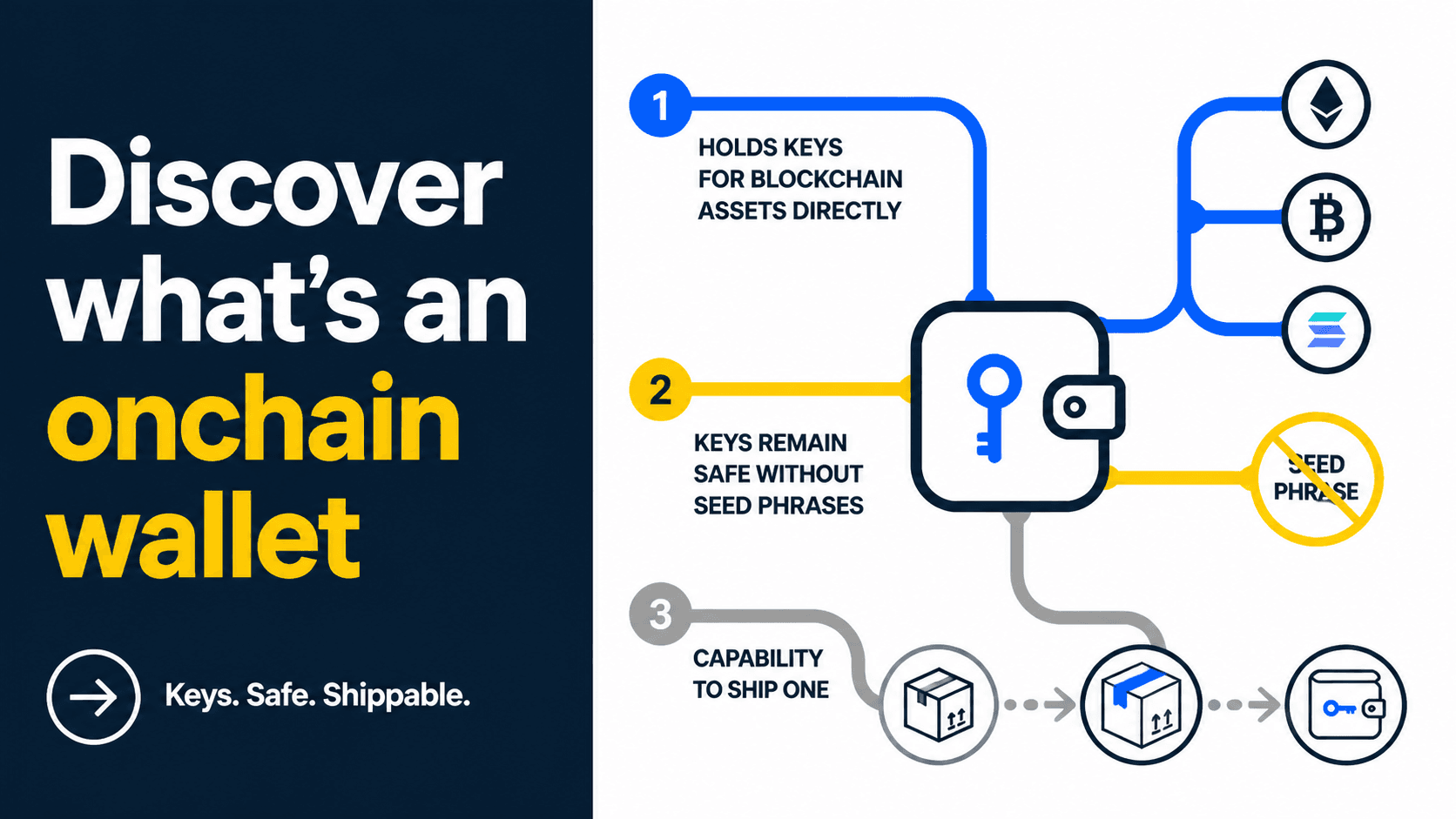
An onchain wallet is a wallet whose private keys directly control assets recorded on a blockchain. If you hold the keys, you can sign a transaction that moves those assets on-chain — no company sits in the middle to approve it. The word "onchain" points at where the value lives: in the blockchain's own state, not in a private ledger.
That distinction matters more than it sounds. When you hold a balance on a centralized exchange, you don't have an onchain wallet — you have a claim. The exchange controls the keys and owes you the amount it shows in your account. An onchain wallet flips that: the keys are yours, so the assets answer to you.
Developers increasingly say "onchain wallet" instead of "crypto wallet" because it's precise. It tells you the wallet interacts with the chain directly and signs real transactions, rather than wrapping a custodial balance. For a builder, that precision decides your whole architecture — who holds keys, how users recover access, and who carries the liability.
If you're weighing the underlying account types — externally owned accounts versus smart accounts — start with our breakdown of EOA vs smart wallet, because it determines what your onchain wallet can do.
Onchain wallet vs self-custody crypto wallet — the same thing?
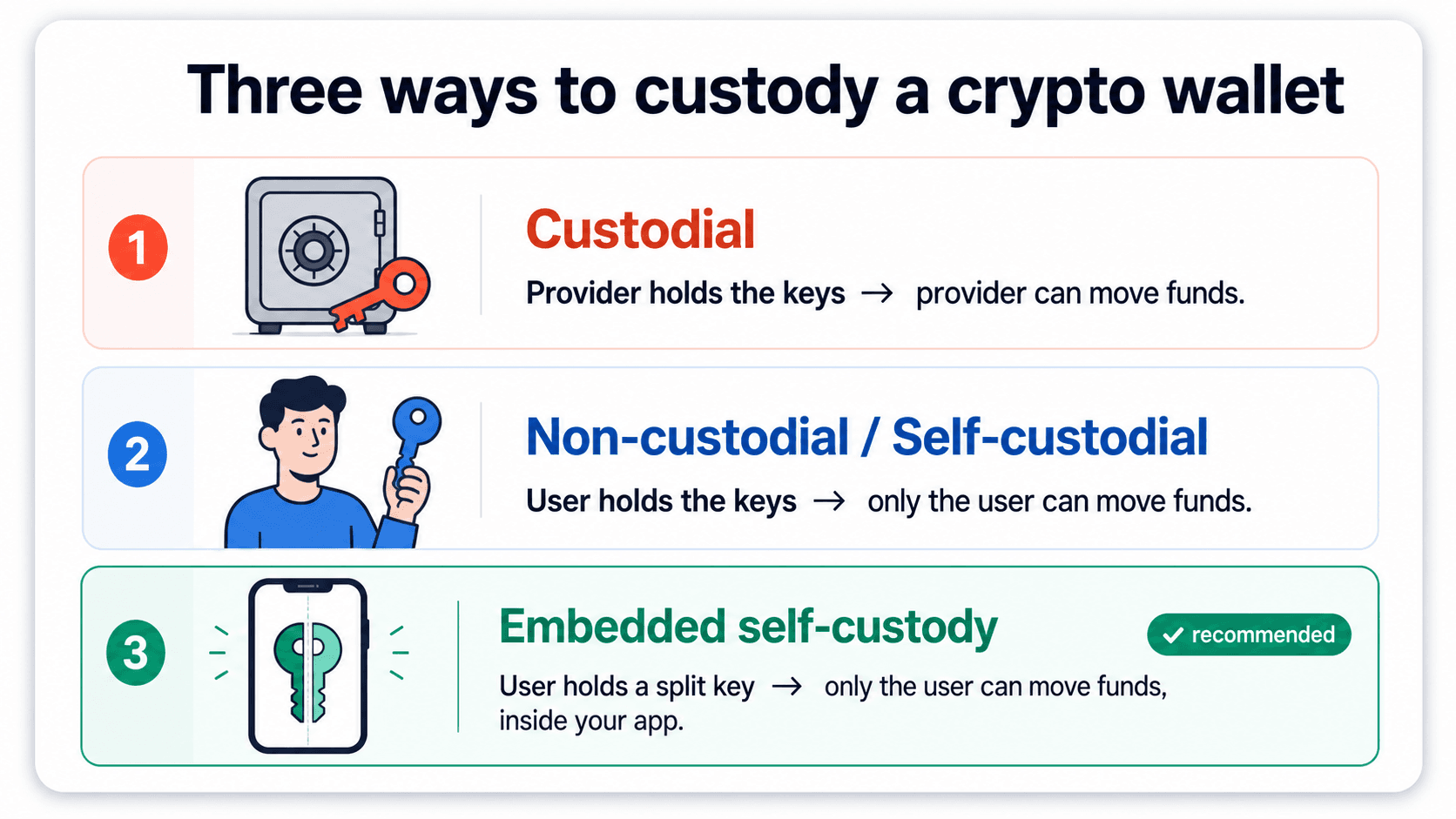
These two terms get used interchangeably, but they answer different questions. A self-custody crypto wallet (also written self custodial crypto wallet) describes who holds the keys: the user, not a company. Onchain describes where the assets are recorded: directly on the blockchain.
Most self-custody wallets are onchain wallets, which is why the two searches sit right next to each other. But you can have nuance in between — for example, a non-custodial wallet where keys are split so neither the user alone nor the provider alone can move funds. It's still onchain, and still non-custodial, but "self-custody" oversimplifies how the keys are actually held.
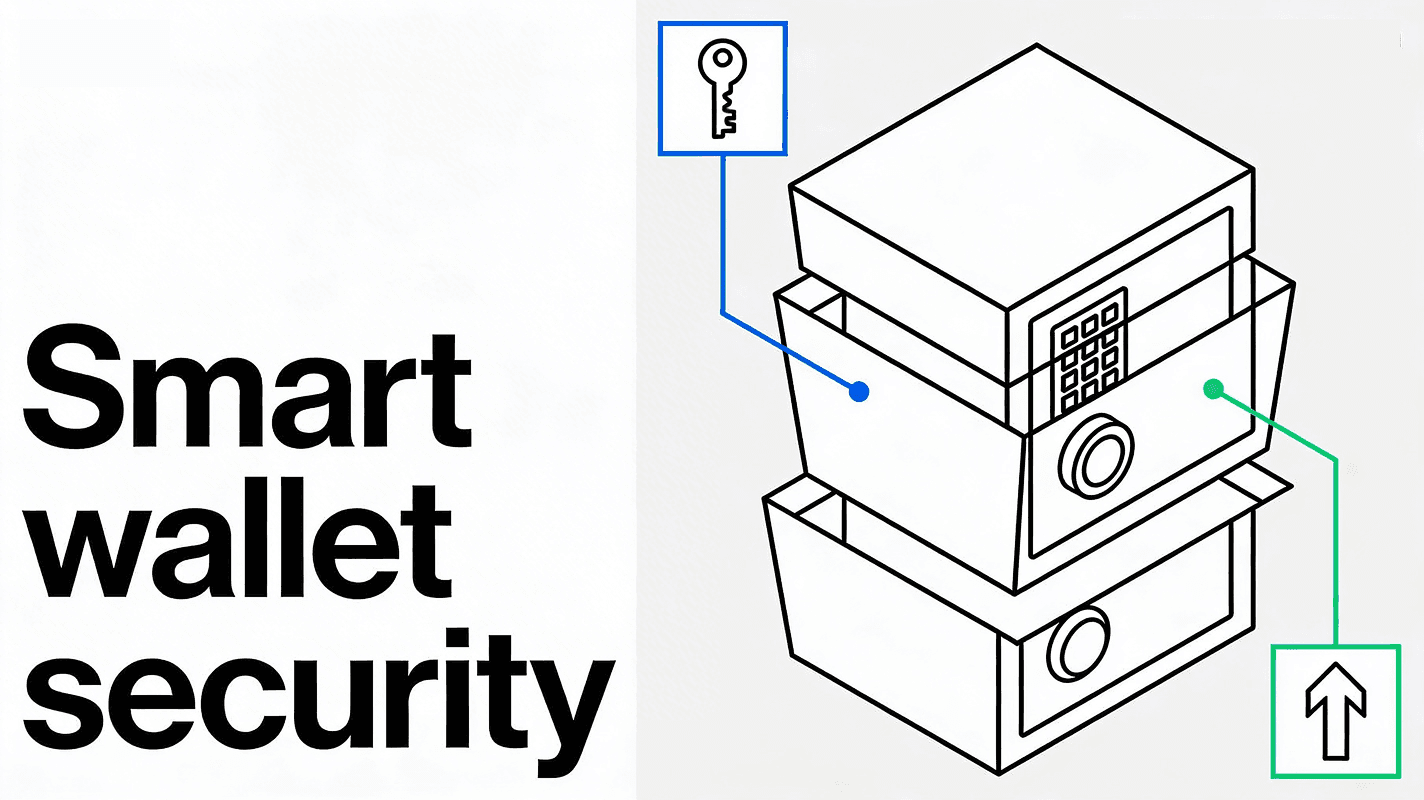
For developers the practical fork is EOA vs smart account. An EOA-based onchain wallet is a single keypair. A smart-account onchain wallet is a contract that can batch actions, sponsor gas, and enforce spending rules — programmable in ways a raw keypair can't be. That programmability is the foundation of account abstraction, and it's where the developer read of "onchain wallet" gets interesting.
How onchain wallets manage keys
The hardest part of any onchain wallet is key management, not signing. The original model was the seed phrase: 12 or 24 words that reconstruct the private key. It works, but "write these words down and never lose them" is the single biggest reason mainstream users abandon crypto signup.
Modern onchain wallets such as OpenSigner replace that step with two approaches:
- Secret sharing. The key is split into multiple shares (Shamir's Secret Sharing) so no single location holds the whole key. A threshold of shares reconstructs it only when needed. See Shamir's Secret Sharing for the math.
- Passkeys (WebAuthn). A hardware-backed key bound to the user's device, unlocked with biometrics. The WebAuthn standard is now supported across major browsers and phones.
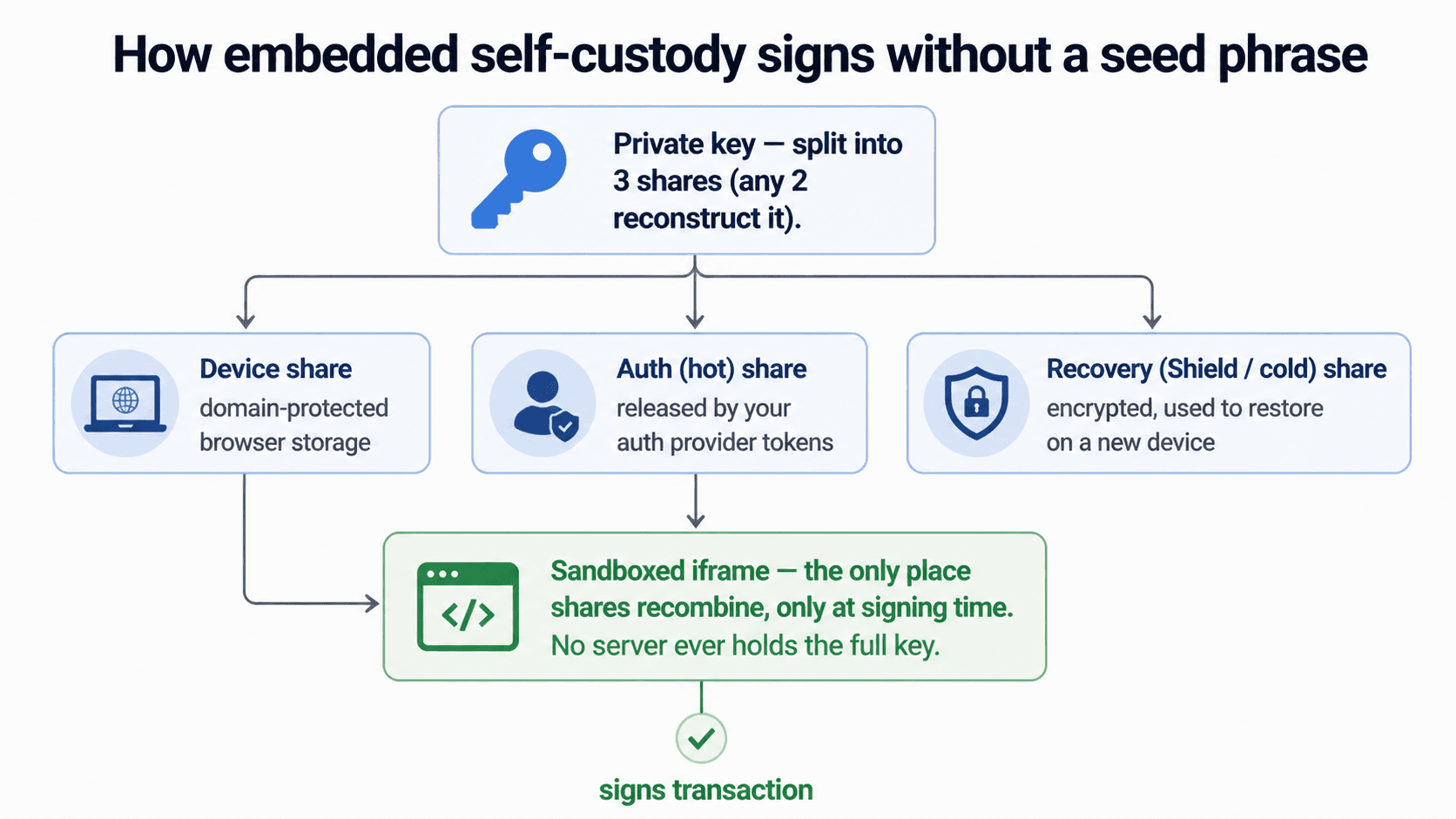
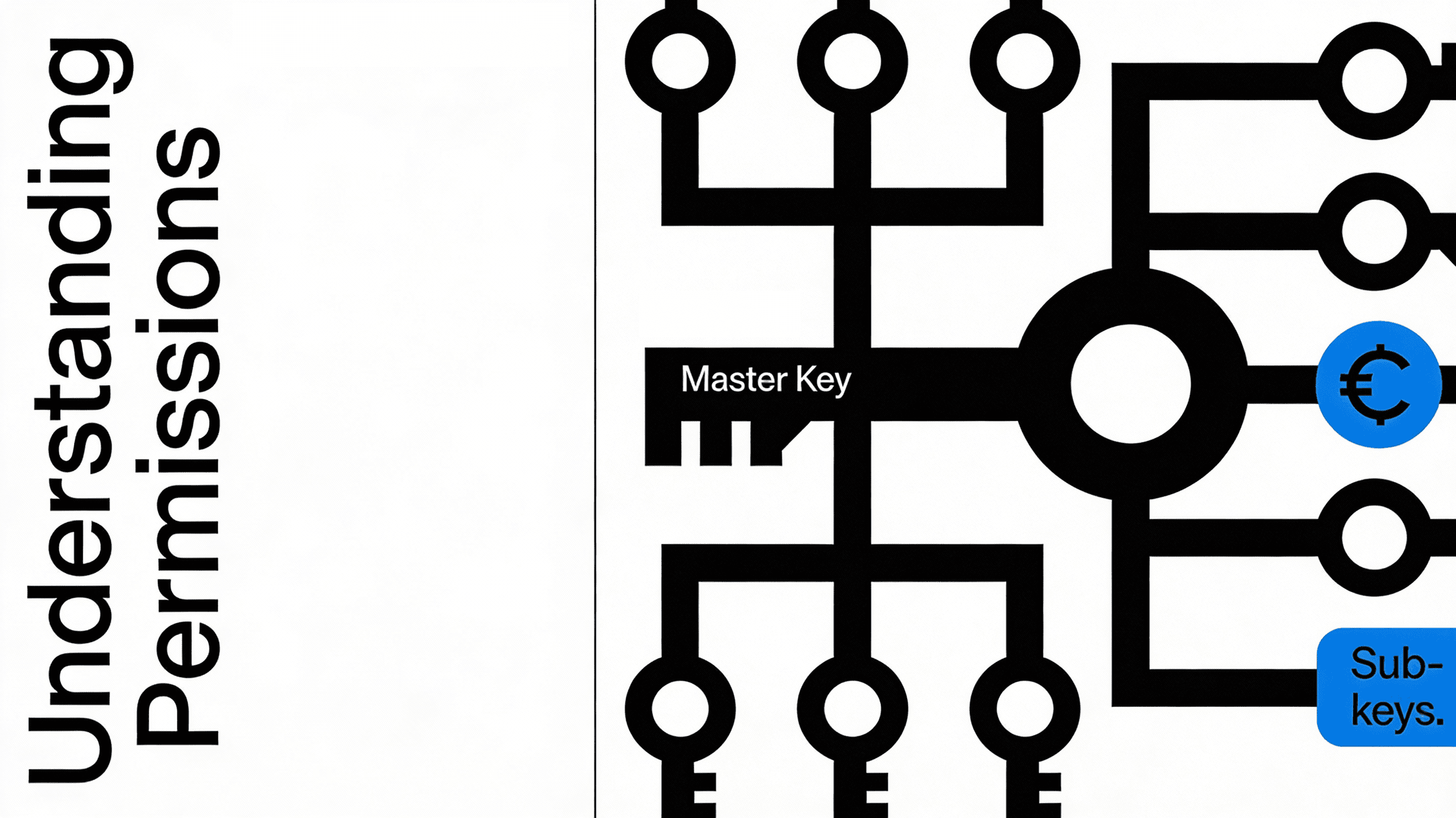
The goal of all three is the same: keep the wallet non-custodial — only the user can authorize a transfer — while killing the seed-phrase step. How you protect keys is also a security and compliance decision, so review the trade-offs against our security model before you commit to one.
Onchain wallet software for developers
When a user searches cryptocurrency wallet software, they usually mean an app to download. When you search it, you mean something different: the SDK and infrastructure you embed to give your own users an onchain wallet. Three shapes exist:
- Browser-extension wallets (the connect-wallet popup). The user must already have one installed. Great for crypto-native audiences, brutal on conversion for everyone else.
- Standalone wallet apps. A separate product your users leave your app to use.
- Embedded wallets. An onchain wallet provisioned inside your app at signup — no install, no context switch.
For most consumer apps, games, and fintechs, embedded is the only option that converts. That's the entire premise of an embedded wallet: the onchain wallet lives in your UI, and signing is a native step in checkout, mint, or payout. If you'd rather not run any of the signing infrastructure yourself, that's what wallet-as-a-service covers.
Openfort vs Privy — two reads of "onchain wallet"
Privy ranks first for "onchain wallet" today, and they earn it — they've built a strong self-custody crypto wallet story focused on user-controlled security for digital assets. That's a genuinely good fit if your priority is putting custody squarely in the user's hands.
Where the two products diverge is who the wallet is for. Privy frames the onchain wallet as something a user controls. Openfort frames it as infrastructure a developer ships — turnkey, account-abstraction-native, with server-side and agent wallets included. If your question is "how do I get a non-custodial onchain wallet into my product fast", that framing matters.
| Dimension | Openfort | Privy |
|---|---|---|
| Custody model | Non-custodial; SSS / passkey; exportable keys | Hybrid custody |
| Account abstraction | ERC-4337 + EIP-7702 native | Third party dependencies |
| Integration framing | Infrastructure you ship | User-facing self-custody |
| Gasless / sponsored gas | Paymaster-powered | Yes, but rigid |
The takeaway: if you want a consumer-facing self-custody wallet and nothing else, Privy is a strong pick. If you need an onchain wallet that's also programmable — sponsored gas, batched actions, backend and agent wallets — the integration speed and account-abstraction depth is where Openfort leads. We keep a full side-by-side on the Openfort vs Privy page.
Blockchain login — how users get into an onchain wallet
The phrase blockchain login describes how a user authenticates into an onchain wallet. The old way: install an extension, click "connect wallet", approve a signature popup. Every one of those steps is a place to lose a user.
The modern way bootstraps the onchain key from a familiar login. The user signs in with email, a social account, or a passkey; that identity provisions a non-custodial key bound to them plus a device factor. They never see a seed phrase, and the provider still can't move funds alone. This is how you make authentication feel like web2 while keeping the wallet onchain and non-custodial.
The conversion difference is the whole point. "Sign in with email" beats "install MetaMask, then connect" for any audience that isn't already crypto-native — which is almost every audience worth growing.
How to add an onchain wallet to your app (4 steps)
At a high level, embedding an onchain wallet is four moves:
- Provision a non-custodial key at signup, protected by passkey or MPC.
- Authenticate the user with email, social, or passkey (your blockchain login).
- Sign transactions inside your UI with a human-readable preview ("Send 15 USDC on Base").
- Sponsor gas so users never need to hold the native token, using a paymaster.
Steps 3 and 4 are where smart accounts earn their keep. With an ERC-4337 wallet provider, you batch actions and sponsor fees via the ERC-4337 spec; with EIP-7702 you can give an existing EOA smart-account powers. A walkthrough of the full flow lives in our embedded wallets guide.
When NOT to build your own onchain wallet
Building your own onchain wallet from scratch means owning key generation, secure storage, recovery, the signing UX, and the liability when any of it breaks. A lost-key support ticket is a very different thing when you wrote the recovery system.
Build it yourself only if wallet infrastructure is your core product and your moat. For everyone else — games, fintechs, consumer apps, agent products — integrating wallet software is faster, cheaper, and lower-risk. Compare the cost of an engineering team owning custody indefinitely against Openfort pricing before you decide.
Related reading
- Openfort vs Privy — full side-by-side on the onchain wallet question.
- Embedded wallets explained — the implementation walkthrough.
- EOA vs smart wallet — which account type your onchain wallet should use.
- Self-custody crypto wallet — how the key shares work when the user holds custody.