TL;DR
A server wallet (or backend wallet) is a blockchain wallet your server creates and signs with, so your app can send transactions without a person approving each one. It's custodial: your backend holds signing authority. Use it for payouts, treasury sweeps, per-user custodial wallets, and AI agents. The engineering problems are where the key lives, what stops a bug or a leaked credential from draining the wallet, and how retries avoid paying twice. Openfort's backend wallets keep keys in a TEE on GCP Confidential Space, check signing policies that fail closed, sponsor gas on EVM chains and Solana, and support key import and export.
A server wallet (also called a backend wallet or server-side wallet) is a blockchain wallet your server creates and signs with through an API, so your app can send transactions without a person approving each one. It's what you use to pay 400 contractors on a Friday, sweep deposits into treasury, run a wallet per user from your backend, or let an AI agent act between human check-ins.
Sending the transaction is the easy part. The work is in three questions:
- Where does the private key live, and who can use it?
- What stops a bug or a leaked API credential from emptying the wallet?
- When a request times out, how do you retry without paying twice?
This guide answers each one, with Openfort's backend wallets as the worked example.
Server wallets vs. embedded wallets
| Server wallet | Embedded wallet | |
|---|---|---|
| Who controls the key | Your backend (custodial) | The user (non-custodial) |
| Who approves each signature | Your server, with its credentials | The user, per action |
| Runs with no user online | Yes | Only through a session key the user granted |
| Typical use | Payouts, treasury, agents, per-user custodial wallets | User-facing transactions |
Server wallets are custodial by definition. Your backend can sign, so you control the funds. If you need the user to keep control but still want your server to act for them, keep their funds in an embedded wallet and have the user grant your server a scoped session key. Openfort supports both modes from the same Node SDK.
Create a server wallet and send a transaction
The Node SDK needs two credentials: your secret key, and a wallet secret that authorizes every signature.
_15import Openfort from '@openfort/openfort-node'_15_15const openfort = new Openfort(process.env.OPENFORT_SECRET_KEY!, {_15 walletSecret: process.env.OPENFORT_WALLET_SECRET!,_15})_15_15// EVM. Use openfort.accounts.solana.backend.create() for Solana._15const wallet = await openfort.accounts.evm.backend.create()_15_15const result = await openfort.accounts.evm.backend.sendTransaction({_15 account: wallet,_15 chainId: 8453,_15 interactions: [{ to: '0xRecipient...', value: '1000000000000000' }],_15 policy: process.env.GAS_SPONSORSHIP_ID, // pays the gas_15})
On EVM chains, sendTransaction upgrades the wallet to an EIP-7702 delegated account if needed, then signs, submits, and waits for the receipt. The wallet holds no ETH because a gas sponsorship pays the fee. Without one, the transaction is created but never broadcast. On Solana, a project-scoped gas sponsorship covers fees, so the wallet doesn't need SOL either. Ethereum gasless transactions and Solana gasless transactions cover the details.
Where the key lives
A private key in an environment variable is one leaked log line away from an empty wallet. A key in a hosted signer you can't inspect means you trust the operator not to sign on its own.
Openfort generates and uses backend wallet keys inside a Trusted Execution Environment on GCP Confidential Space:
- AMD SEV-SNP encrypts TEE memory, so the host, including cloud operators with root access, can't read keys.
- The TEE has no persistent storage, no interactive access, and no external networking. The database outside it stores only encrypted key material.
- Remote attestation proves which code is running before Cloud KMS releases the key-encryption key.
- Every signature needs your wallet secret. If it leaks, rotate it from the dashboard.
You can import an existing key and export keys, so the wallet isn't locked to Openfort. The backend wallet security docs describe the full architecture, and TEE wallets vs MPC explains the trade-offs.
What stops a bad transaction
A server wallet signs whatever your code asks it to. A bug, a compromised dependency, or a leaked secret key can each send funds somewhere you never intended. Signing policies are the limit that sits outside your application code.
A policy is a list of accept and reject rules, scoped to one wallet or to the whole project. Rules can match:
- the chain (
evmNetwork,solNetwork) - destination addresses and contracts (
evmAddress,solAddress,splAddress) - the function and calldata being called (
evmData,solData) - the value of a single transaction in native tokens or SPL tokens (
ethValue,solValue,splValue)
The engine fails closed. Once a project has a policy that isn't a gas sponsorship, any signing request that matches no rule is rejected. That includes operations you never wrote a rule for.
Two details matter in production. First, policies limit individual transactions. A total per day or per month is something you track in your own system. Second, an EVM backend send goes through EIP-7702 and reaches the engine as a hash signature (signEvmHash). Address and value rules apply to it through policies.evaluate(), so call that as a pre-flight check before each send:
_10const check = await openfort.policies.evaluate({_10 operation: 'signEvmTransaction',_10 accountId: wallet.id,_10 payload: { chainId: 8453, to: recipient, value: amountWei },_10})_10if (!check.allowed) throw new Error(`Blocked by policy: ${check.reason}`)
Keep the guardrail policy and the gas sponsorship policy separate. Linking a signing policy to a gas sponsorship turns it into a sponsorship policy, and it stops acting as a guardrail.
Batched payouts without double-paying
Payouts are where most teams start with server wallets. A payout run has to work on a schedule with nobody watching, survive retries, and stop if the numbers look wrong.
A pattern that holds up:
- Build the payout list in your own database and give every row a stable ID and a status (
pending,submitted,paid,failed). - Check the run against your own totals before sending anything. Policies cap each transaction. Your system caps the run.
- Chunk the batch. One EVM transaction accepts at most nine interactions, and chunks from the same wallet share a nonce, so send them in sequence.
- Record the transaction ID before you trust the outcome.
sendTransactiontakes no idempotency key, so a blind retry after a timeout can pay twice. Store the returned ID on the row, and on retry, look it up withopenfort.transactions.get()instead of sending again. A transaction still insubmittedhasn't failed yet. - Reconcile from the receipt. Mark a row
paidonly when the transaction status issucceeded, and use webhooks to catch transactions that confirm after your job exits.
Wallet creation, import, export, and signing calls do accept an idempotencyKey, so provisioning one wallet per user is safe to retry.
Other common uses
- Treasury operations. Sweeping deposit addresses into a treasury wallet, rebalancing across chains, paying vendors in stablecoins. See the treasury wallet guide.
- Per-user custodial wallets. One wallet per user, created and operated entirely from your backend, with no client-side wallet. Common in neobanks and exchanges.
- AI agents. An agent gets its own server wallet bounded by an account-scoped policy, so it can only call the contracts and send the amounts you allow. See agentic wallets.
- Acting for a user. Your server signs for a user's embedded wallet with a session key the user granted, within limits the user set.
Pricing
| Openfort backend wallets | |
|---|---|
| Pricing unit | Per operation (a signature request) |
| Free tier | 2,000 operations a month included |
| Extra operations | 0.01 USD per operation on the free tier |
| Wallet count | Unlimited, and dormant wallets cost nothing |
| Gas sponsorship | Paymaster surcharge on top of gas, 10% on the free tier |
| Key custody | Custodial to your backend. Keys held in a TEE, importable and exportable |
Current plans and rates are on the pricing page.
Related reading
- TEE wallets and how trusted execution environments protect private keys
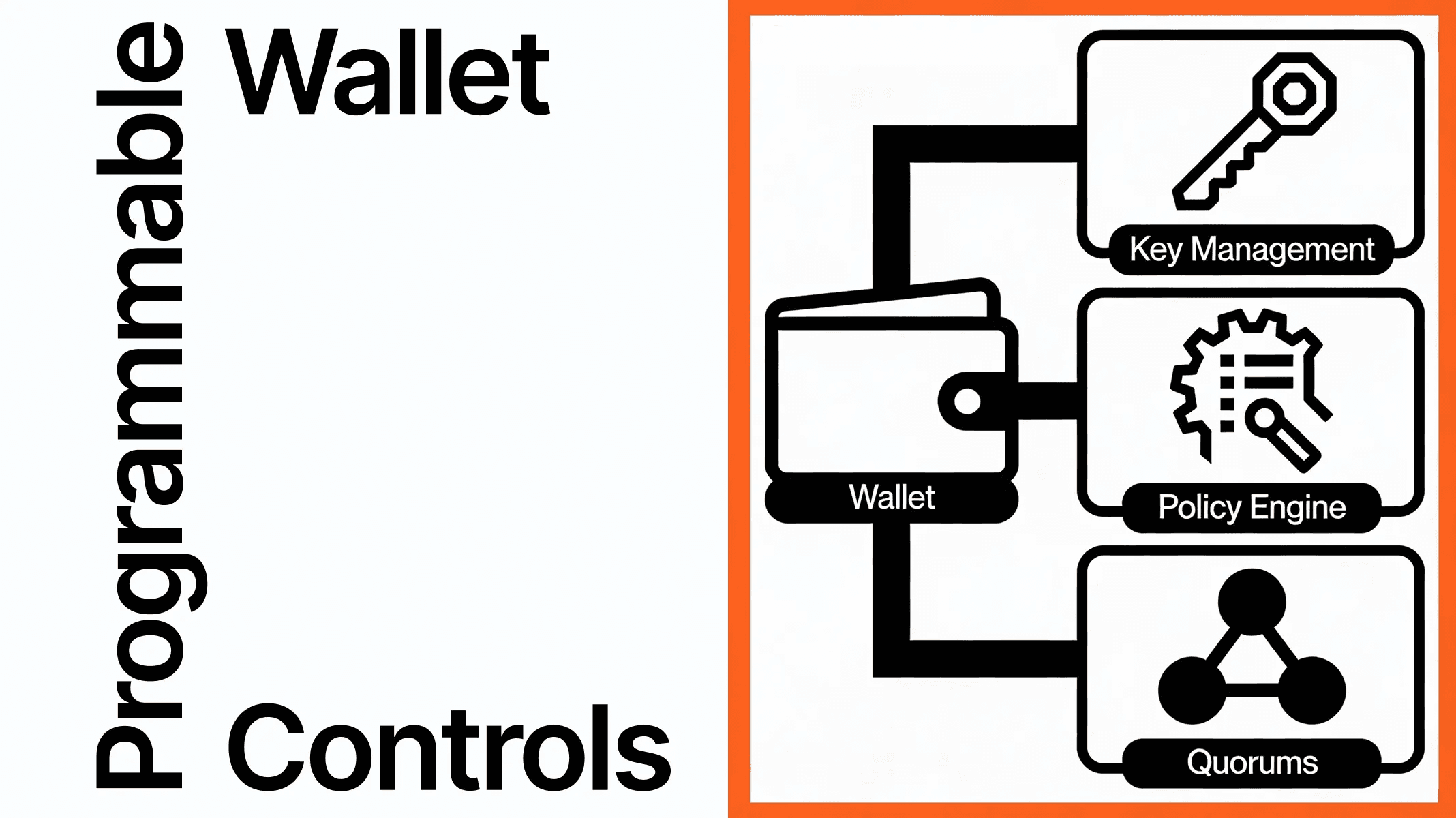
- Programmable wallet controls for policy design beyond allowlists
- OpenSigner, Openfort's open-source key management for non-custodial wallets
- Agent wallets: server wallets with policies, built for autonomous software