> **Can't find what you're looking for?** Use `search_docs` on the docs MCP server at `https://www.openfort.io/api/mcp` to find what you need.
>
> **Have feedback?** Use `submit_feedback` on the same MCP server.
# Wallet assets
Wallet assets represent the tokens held by a user's embedded wallet:
* **Native tokens** (e.g., ETH, POL, AVAX) — the blockchain's native currency
* **ERC-20 tokens** (e.g., USDC, DAI, USDT) on Ethereum
* **SPL and Token-2022 tokens** on Solana
The SDK exposes chain-specific hooks: [`useEthereumWalletAssets`](https://www.openfort.io/docs/products/embedded-wallet/react/hooks/useEthereumWalletAssets) and [`useSolanaWalletAssets`](https://www.openfort.io/docs/products/embedded-wallet/react/hooks/useSolanaWalletAssets).
## Ethereum
On Ethereum there are three steps: configure which tokens to track, display them with the prebuilt UI, and/or fetch them yourself with a hook.
### 1. Configure tracked tokens
By default, Openfort tracks balances for popular ERC-20 tokens like USDC and DAI, plus a set of [default assets](https://www.openfort.io/docs/configuration/default-assets). Add your own tokens in the `assets` map of `walletConfig.ethereum`, keyed by chain ID:
```tsx
import { polygonAmoy } from "viem/chains"
import { OpenfortProvider } from "@openfort/react"
export function Providers({ children }: { children: React.ReactNode }) {
return (
{children}
)
}
```
The `assets` object uses chain IDs as keys, with each value being an array of token addresses:
```typescript
assets?: {
[chainId: number]: Hex[];
}
```
Openfort automatically queries each token contract to retrieve its `symbol`, `name`, and `decimals` — you only provide the address.
### 2. Display with Openfort UI
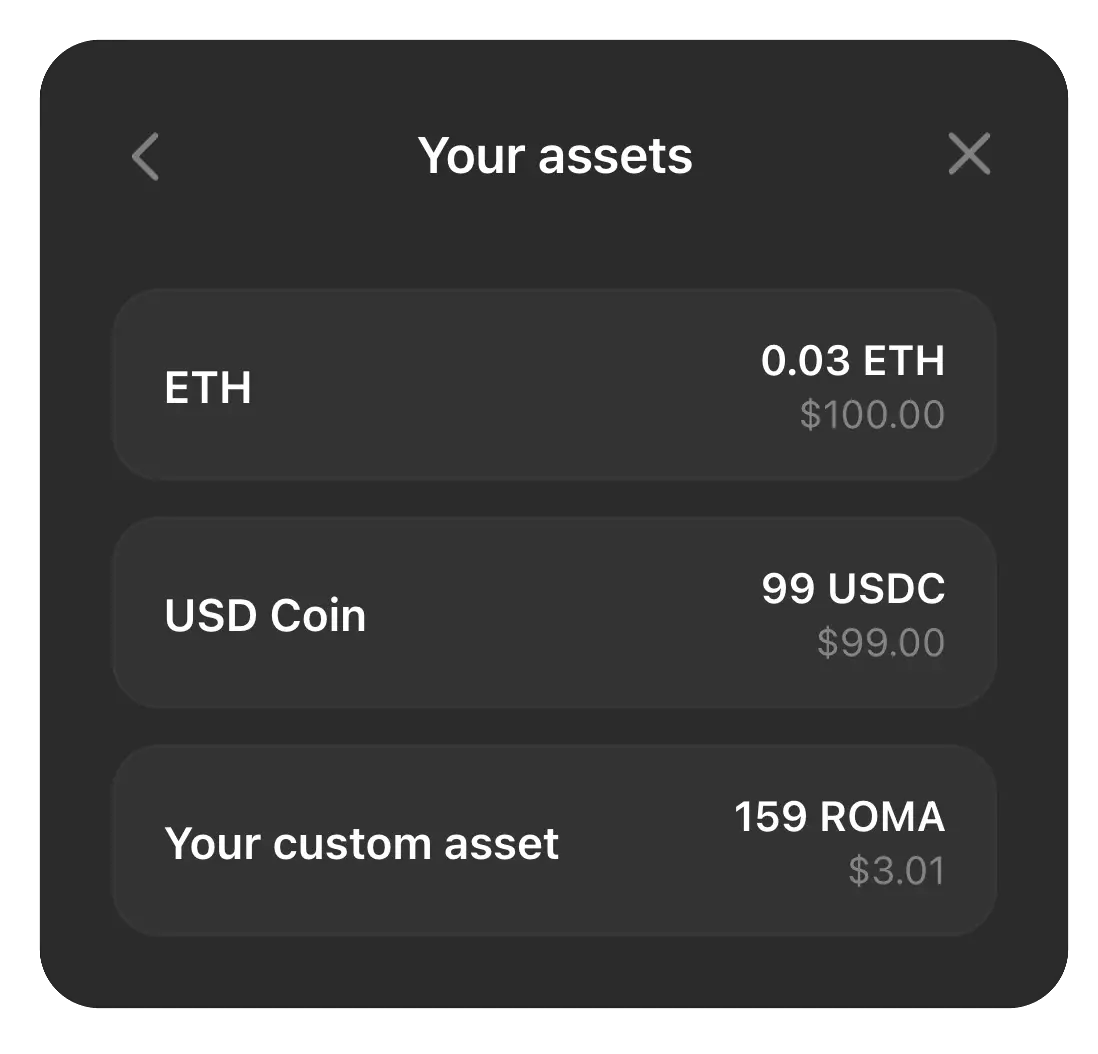
Openfort's prebuilt UI components fetch and display native and ERC-20 balances automatically, with no extra code. A user's assets look like this:
 ### 3. Fetch with a hook
To fetch assets yourself, use the [`useEthereumWalletAssets`](https://www.openfort.io/docs/products/embedded-wallet/react/hooks/useEthereumWalletAssets) hook from `@openfort/react/ethereum`. It returns the default assets plus any tokens you configured in step 1 (or pass addresses directly to the hook).
```tsx
import { useEthereumWalletAssets } from "@openfort/react/ethereum"
import { formatUnits } from "viem"
function WalletAssets() {
const { data: assets, isLoading, error } = useEthereumWalletAssets()
if (isLoading) return
### 3. Fetch with a hook
To fetch assets yourself, use the [`useEthereumWalletAssets`](https://www.openfort.io/docs/products/embedded-wallet/react/hooks/useEthereumWalletAssets) hook from `@openfort/react/ethereum`. It returns the default assets plus any tokens you configured in step 1 (or pass addresses directly to the hook).
```tsx
import { useEthereumWalletAssets } from "@openfort/react/ethereum"
import { formatUnits } from "viem"
function WalletAssets() {
const { data: assets, isLoading, error } = useEthereumWalletAssets()
if (isLoading) return Loading assets...
if (error) return Error: {error.message}
return (
Wallet Assets
{assets?.map((asset) => (
-
{asset.address}: {formatUnits(asset.balance, asset.metadata?.decimals ?? 18)} {asset.metadata?.symbol}
))}
)
}
```
For all options, see [useEthereumWalletAssets](https://www.openfort.io/docs/products/embedded-wallet/react/hooks/useEthereumWalletAssets).
## Solana
Use `useSolanaWalletAssets` to fetch native SOL and SPL token balances from the configured cluster:
```tsx
import { useSolanaWalletAssets } from '@openfort/react/solana'
function SolanaAssets() {
const { data: assets, isPending, error } = useSolanaWalletAssets()
if (isPending) return Loading assets…
if (error) return {error.shortMessage}
return (
{assets?.map((asset) => (
- {asset.symbol}: {asset.amount.toString()}
))}
)
}
```
The Ethereum `assets` configuration does not apply to Solana; the Solana hook discovers token accounts directly from RPC.
## Related resources
* [Wallet actions](https://www.openfort.io/docs/products/embedded-wallet/react/wallet/actions) — send native tokens and ERC-20 transfers
* [Active wallet](https://www.openfort.io/docs/products/embedded-wallet/react/wallet/active-wallet/ethereum) — get, list, and switch the active wallet
* [ConnectedEmbeddedEthereumWallet](https://www.openfort.io/docs/products/embedded-wallet/react/wallet/active-wallet/ethereum#connectedembeddedethereumwallet) — wallet object properties
* [Solana asset hook](https://www.openfort.io/docs/products/embedded-wallet/react/hooks/useSolanaWalletAssets) — native SOL and SPL balances