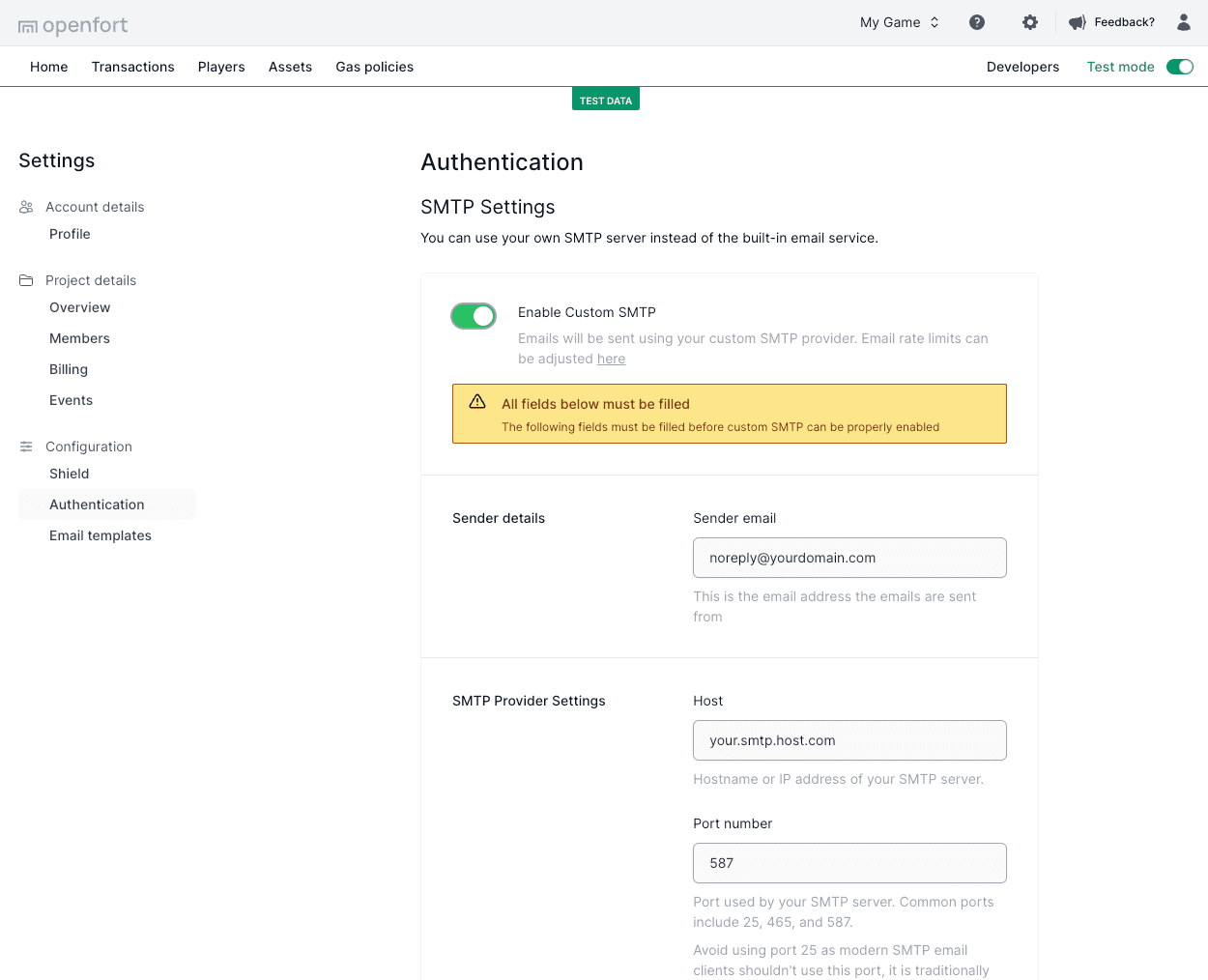
 ### SMTP providers
You can use Openfort Auth with any major SMTP provider of your choosing. Some SMTP providers you could consider using are:
* [Twilio SendGrid](https://docs.sendgrid.com/for-developers/sending-email/integrating-with-the-smtp-api)
* [AWS SES](https://docs.aws.amazon.com/ses/latest/dg/send-email-smtp.html)
## Email templates
You can customize the email messages used for the authentication flows. You can edit the following email templates:
* Verify your email address
* Reset your password
Template editing is only available for projects on the original authentication module (v1), created before January 14, 2026. Projects on the [updated authentication module](https://www.openfort.io/docs/configuration/updated-authentication) (v2) send Openfort's default templates, and the dashboard shows the editor as coming soon. Custom SMTP works for both.
### SMTP providers
You can use Openfort Auth with any major SMTP provider of your choosing. Some SMTP providers you could consider using are:
* [Twilio SendGrid](https://docs.sendgrid.com/for-developers/sending-email/integrating-with-the-smtp-api)
* [AWS SES](https://docs.aws.amazon.com/ses/latest/dg/send-email-smtp.html)
## Email templates
You can customize the email messages used for the authentication flows. You can edit the following email templates:
* Verify your email address
* Reset your password
Template editing is only available for projects on the original authentication module (v1), created before January 14, 2026. Projects on the [updated authentication module](https://www.openfort.io/docs/configuration/updated-authentication) (v2) send Openfort's default templates, and the dashboard shows the editor as coming soon. Custom SMTP works for both.
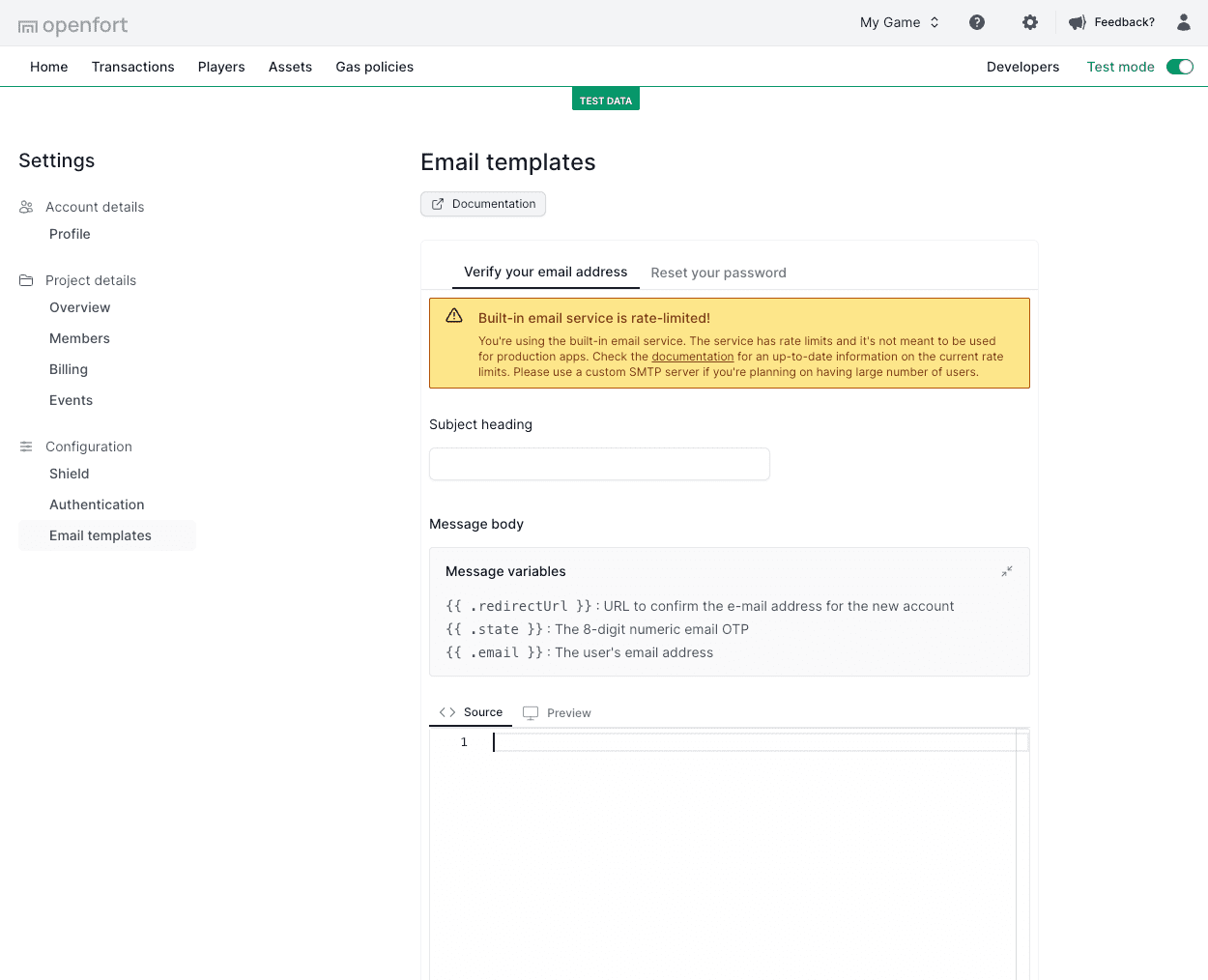 ## Terminology
The templating system provides the following variables for use:
| Name | Description |
| --------------------------- | ------------------------------------------------------------------------------------------------------- |
| `{{.redirectUrl}}` | Openfort URL that completes the verification or password reset. It carries the one-time `state` token. |
| `{{.email}}` | The user's email address. |
| `{{.originalRedirectUrl}}` | The redirect URL your app passed when it requested the email. |
## Editing email templates
Edit your email templates on the **Email templates** page. Write variables without spaces inside the braces (`{{.email}}`, not `{{ .email }}`). Each variable is replaced only where it first appears, so use it once per template. Below is an example for email verification:
```text
Subject: Verify your email address
Body:
## Terminology
The templating system provides the following variables for use:
| Name | Description |
| --------------------------- | ------------------------------------------------------------------------------------------------------- |
| `{{.redirectUrl}}` | Openfort URL that completes the verification or password reset. It carries the one-time `state` token. |
| `{{.email}}` | The user's email address. |
| `{{.originalRedirectUrl}}` | The redirect URL your app passed when it requested the email. |
## Editing email templates
Edit your email templates on the **Email templates** page. Write variables without spaces inside the braces (`{{.email}}`, not `{{ .email }}`). Each variable is replaced only where it first appears, so use it once per template. Below is an example for email verification:
```text
Subject: Verify your email address
Body:
Click here to verify {{.email}}.
```